How to Implement Google's Universal Commerce Protocol: The Complete Merchant Guide

Direct Answer
Google has published full developer documentation for the Universal Commerce Protocol (UCP), providing merchants a 6-step implementation path to enable direct purchases inside AI Mode in Search and the Gemini app. The integration requires three REST endpoints (create, update, and complete checkout sessions) with defined Service Level Objectives (95% availability, sub-second p50 latency), a UCP profile hosted at /.well-known/ucp for capability negotiation, and Google Pay tokenization through a compatible Payment Service Provider.
On March 19, 2026, Google expanded UCP with three new capabilities: multi-item Cart, real-time Catalog access for inventory and pricing, and Identity Linking via OAuth 2.0 for loyalty programs and member pricing. Commerce Inc, Salesforce, and Stripe have committed to implementing UCP on their platforms. Google offers two checkout paths: Native (recommended, full agentic potential) and Embedded (iframe-based, requires specific approval). SDKs are available in Python and JavaScript, with a conformance test suite for pre-production validation.
Key Takeaways
- Google shipped full UCP developer docs with a 6-step implementation guide for merchants to go live on AI Mode in Search and Gemini.
- Three REST endpoints power native checkout: session creation, updates, and completion, with defined SLOs (95% availability, sub-second p50 latency).
- The UCP profile at /.well-known/ucp enables capability negotiation between your server and Google using a server-selects architecture.
- Two checkout paths exist: Native (recommended, full agentic potential) and Embedded (iframe-based, for complex branded flows requiring Google approval).
- Identity Linking via OAuth 2.0 lets shoppers carry loyalty benefits, member pricing, and personalization into AI-powered checkout.
- A single product feed attribute (native_commerce) opts products into agentic checkout on Google surfaces.
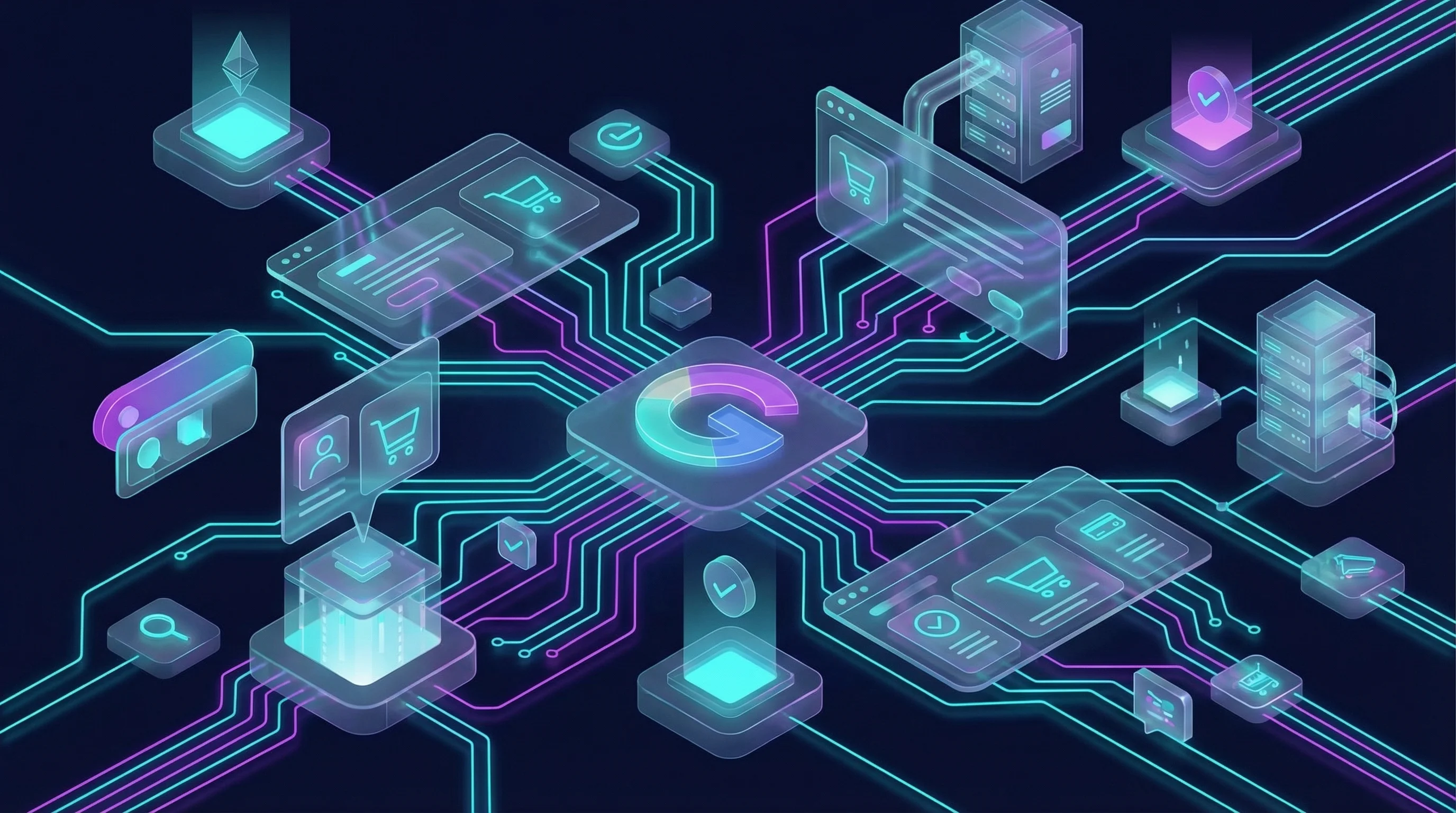
Google has published full developer documentation for the Universal Commerce Protocol (UCP), giving merchants a concrete, step-by-step path to enable direct purchases inside AI Mode in Search and the Gemini app. This is not a conceptual whitepaper or a protocol spec buried on GitHub. It is a production-ready integration guide with REST API contracts, Service Level Objectives, code samples, and SDKs in Python and JavaScript. For any brand selling online in 2026, this is the clearest signal yet that agentic commerce is no longer theoretical.
On March 19, 2026, Google expanded UCP with three new capabilities: multi-item Cart, real-time Catalog access, and Identity Linking for loyalty programs. Alongside that announcement, the developer docs at developers.google.com/merchant/ucp now provide everything a development team needs to build and ship a UCP integration. Commerce Inc, Salesforce, and Stripe have all committed to implementing UCP on their platforms.
Source: Google Blog, Google Developers
What Is UCP and Why Does It Matter Now?
The Universal Commerce Protocol is an open standard co-developed by Google, Shopify, and other industry partners. It standardizes how AI surfaces interact with merchant systems to complete purchases. The user asks an AI agent to buy something. The agent finds the product, creates a checkout session, collects shipping and payment details, and completes the order, all without the user ever leaving the AI interface.
What changed in March 2026 is that Google moved UCP from "interesting protocol" to "here's how to build it." The developer documentation covers six integration steps, three REST endpoints, two checkout paths, OAuth 2.0 account linking, and full post-purchase order lifecycle management. Google also published conformance tests so merchants can validate their implementation against the spec before going live.
The surfaces where UCP-integrated products appear today are AI Mode in Google Search and the Gemini web application. The Gemini mobile app is listed as "coming soon." For merchants, this means their products become directly purchasable inside the AI interfaces where an increasing share of product discovery is happening.
Source: Google Developers
What Are the Six Steps to Implement UCP on Google?
Google's implementation guide defines a clear sequence. Each step builds on the previous one, and Google must approve your integration before you go live on AI surfaces.
- Prepare your Merchant Center account. Configure shipping policies, return policies, customer support information, and your product feed. Your account must be in good standing with approved products for free listings. Return policies must include return cost, return window, and a link to the full policy.
- Join the waitlist. Submit your interest through Google's UCP integration waitlist. Google reviews applications and works directly with approved merchants on implementation.
- Set up Google Pay. Register at the Google Pay & Wallet Console and note your Merchant ID. Verify that your Payment Service Provider (PSP) appears on Google's list of participating processors and gateways that support Google Pay tokenization.
- Publish your UCP profile. Host a JSON document at
/.well-known/ucpon your domain. This profile declares your protocol version, supported capabilities, checkout endpoint URL, and payment handler configuration. Google uses this to negotiate services and discover your integration. - Build the checkout API. Implement three core REST endpoints for creating, updating, and completing checkout sessions. This is the bulk of the engineering work. Google also offers an optional embedded checkout path for merchants with complex branded flows.
- Sync order status. Push post-purchase updates (shipped, delivered, cancelled, refunded) to Google via webhooks so users can track their orders inside AI surfaces.
Optionally, you can implement Identity Linking (OAuth 2.0) to enable logged-in experiences with loyalty benefits and member pricing.
Source: Google Developers - Implementation Guide
How Does the UCP Profile Work?
The UCP profile is a JSON document hosted at /.well-known/ucp on your domain. It serves as the entry point for Google (or any UCP-compatible consumer) to discover what your server supports. UCP uses a "server-selects" architecture: your server (the business) chooses the protocol version and capabilities from the intersection of both parties' supported features.
The profile contains four key sections:
- Services. Declares which UCP services you support (e.g.,
dev.ucp.shopping), the transport method (REST), your endpoint URL, and a link to the OpenAPI schema. - Capabilities. Lists specific features like checkout, fulfillment, discounts, and order management. Each capability has its own version, spec URL, and JSON schema. Capabilities can extend other capabilities (e.g., fulfillment extends checkout).
- Payment handlers. Configures your payment integration. For Google, this means your Google Pay setup: allowed card networks (Visa, Mastercard, Amex, Discover, JCB), authentication methods (PAN_ONLY, CRYPTOGRAM_3DS), and your PSP gateway details.
- Signing keys. Public keys in JWK format used to verify signatures on webhooks and authenticated messages from your servers.
This profile is what makes UCP interoperable. Any AI surface that speaks UCP can discover your capabilities, negotiate a compatible set of features, and start a checkout session without any custom integration work on their side.
Source: Google Developers - UCP Profile
What Are the Three Core Checkout Endpoints?
The native checkout integration requires you to build a RESTful API with three primary endpoints. Google calls these endpoints to manage the checkout lifecycle on your behalf.
1. Create Checkout Session (POST /checkout-sessions)
Triggered when a user clicks "Buy" on a product in AI Mode or Gemini. Google sends the line items and limited buyer address information (city, state, ZIP code). Your server responds with an initialized session containing product details, estimated totals, tax calculations, available shipping options, payment capabilities, and your terms of service and privacy policy links.
The response also includes your UCP version, supported capabilities, and Google Pay payment handler configuration. Every product ID in the line items must match the product ID in your Merchant Center feed.
2. Update Checkout Session (PUT /checkout-sessions/{id})
Triggered when the user selects or changes their shipping address, updates shipping preferences, or modifies payment information. Google sends the full checkout object with updated fields. Your server recalculates taxes and shipping costs based on the new data and returns the updated session.
This is where dynamic pricing happens. If a user switches from California to Texas, your API recalculates sales tax. If they choose express over ground shipping, the total updates in real time.
3. Complete Checkout Session (POST /checkout-sessions/{id}/complete)
Triggered when the user clicks "Place Order." Google sends the encrypted payment token from Google Pay along with risk signals (session data, device data, browser data, shipping and billing details) for your fraud detection systems. Your server validates the payment, processes the transaction through your PSP, and returns a completed session with the order ID and a permalink URL to the order confirmation page.
If you need additional information to complete checkout, UCP provides two escalation paths. Setting the status to "incomplete" with a "recoverable" severity message tells Google to collect the missing field (like an email address). Returning a severity of "requires_buyer_input" or "requires_buyer_review" with a continue URL hands the user off to your own checkout page for custom data collection.
Service Level Objectives
Google defines specific performance targets that your API must meet:
| Endpoint | Availability | P50 Latency | P95 Latency |
|---|---|---|---|
| Create Session | ≥ 95% | ≤ 1 second | ≤ 4 seconds |
| Update Session | ≥ 95% | ≤ 1 second | ≤ 5 seconds |
| Complete Session | ≥ 95% | ≤ 6 seconds | ≤ 10 seconds |
These SLOs are production requirements. Google expects all integrating merchants to meet these performance targets consistently.
Source: Google Developers - Native Checkout
Native vs Embedded Checkout: Which Should You Choose?
Google offers two checkout integration paths. The decision matters because it affects your development timeline, user experience, and access to future agentic features.
| Factor | Native Checkout | Embedded Checkout |
|---|---|---|
| Architecture | REST API, Google renders checkout UI | Your checkout UI in an iframe, JSON-RPC 2.0 communication |
| Approval | Standard waitlist | Requires specific Google approval |
| Brand control | Google-rendered UI, limited customization | Full control over checkout appearance and flow |
| Agentic features | Full access to current and future capabilities | Limited, primarily for manual checkout scenarios |
| Complexity | 3 REST endpoints + UCP profile | Full checkout frontend + postMessage handshake + CSP headers + delegation logic |
| Best for | Most merchants, especially those wanting full agentic potential | Merchants with highly custom checkout flows (e.g., custom delivery scheduling, complex product configuration) |
Native is the recommended path. Google explicitly states that native checkout "will unlock full agentic potential as UCP product offering expands." Embedded checkout is an escape hatch for merchants whose checkout flows require logic that the native API cannot support, like custom delivery scheduling or complex product configurators.
The embedded path is also significantly more complex to build. It requires implementing JSON-RPC 2.0 communication over postMessage, handling a "Two Handshakes" protocol for secure channel establishment via MessagePort, building delegation logic for payment and address collection, and implementing strict Content Security Policy headers to prevent embedding by unauthorized hosts.
For most ecommerce businesses, native checkout is the right choice. It is faster to implement, receives priority for new feature rollouts, and is the path Google is optimizing for.
Source: Google Developers - Native Checkout, Google Developers - Embedded Checkout
How Does Identity Linking Work?
Identity Linking is UCP's mechanism for connecting a shopper's account on your store with their Google identity. When implemented, shoppers checking out through AI Mode or Gemini can access their loyalty points, member pricing, saved addresses, and personalized offers, the same benefits they would get on your website when logged in.
The technical foundation is OAuth 2.0 Authorization Code flow (RFC 6749). Your implementation must support:
- HTTP Basic Authentication (client_secret_basic) at the Token Endpoint.
- Standard UCP scope:
ucp:scopes:checkout_session, which grants permission for all checkout lifecycle operations (create, read, update, delete, cancel, complete). - OAuth discovery: A metadata file at
/.well-known/oauth-authorization-server(RFC 8414) so Google can auto-discover your authorization, token, and revocation endpoints.
Google also offers Streamlined Linking, an optional enhancement that combines intent checks and token exchange using JWT assertions. The benefit is that users can link or create accounts using their Google profile without leaving Google's interface. No browser redirects, no separate login page. This can significantly increase conversion rates by removing friction from the account linking step.
If you choose not to implement Identity Linking, you must support guest checkout as the default path.
Source: Google Developers - Identity Linking
How Do You Configure Your Product Feed for UCP?
Before your products can appear with a "Buy" button on Google's AI surfaces, you need to update your Merchant Center product feed with UCP-specific attributes.
The most important attribute is native_commerce. This is a simple boolean that opts a product into the agentic checkout experience. If it is set to false or missing, the product will not be eligible for direct purchase through UCP. You can set this per product, which means you can start with a subset of your catalog and expand as you gain confidence in the integration.
Two additional attributes handle regulatory compliance:
- consumer_notice_type: Required for products with regulatory warning requirements. Accepts values like
legal_disclaimer,safety_warning, orprop_65(California Proposition 65). Google displays these warnings prominently on the checkout screen. - consumer_notice_message: The actual warning text, up to 1,000 characters, with limited HTML formatting support (bold, italic, line breaks, links).
If your Merchant Center product IDs do not match the product IDs in your checkout API, use the merchant_item_id custom attribute to map between them. When defined, this takes precedence over the standard id field in agentic requests.
You can add these attributes through supplemental data sources (recommended), XML feeds, or the Merchant API. Google recommends creating a supplemental data source rather than modifying your primary feed, which reduces the risk of formatting errors affecting regular product ingestion.
Source: Google Developers - Merchant Center Setup
What Happens After the Sale? Order Lifecycle Management
UCP does not end at checkout. Google requires merchants to push post-purchase status updates via webhooks so that order tracking, returns, and refunds are visible inside the AI surfaces where the purchase originated.
The webhook endpoint format is: POST /webhooks/partners/{partner_id}/events/order
Three categories of order events are mandatory:
- Order created. Sent immediately after the order is confirmed with status "processing." Must include full line items, fulfillment expectations (shipping method, destination, estimated delivery), totals, and the order permalink URL.
- Fulfillment events. "Shipped" (with tracking number and URL) and "delivered" events, pushed as they happen. These update the order status in the user's purchase history on Google surfaces.
- Adjustment events. Cancellations, returns, and refunds. Each adjustment event includes the affected line items, amounts, timestamps, and completion status. For returns, you can include the return tracking number and URL.
Google also recommends (but does not require) sending dispute events and fulfillment cancellation events for the best user experience.
Every webhook payload must include the full order entity. UCP uses a full-object replacement model, not partial updates. This means your order management system needs to be able to serialize the complete order state at any point in its lifecycle.
Source: Google Developers - Order Lifecycle
What Risk and Fraud Signals Does Google Provide?
When a user completes a checkout session, Google passes risk signals alongside the payment token. These signals give your fraud detection systems the data they need to make accept/reject decisions on each transaction.
Google currently provides five categories of risk data:
- Session data. Information about the user's session on Google's surfaces.
- Device data. Hardware and software characteristics of the device used.
- Browser data. Browser type, version, and behavioral signals.
- Shipping and billing data. Address match signals and geographic consistency checks.
- Payment verification data. Tokenization status, card network verification results.
This data arrives in the POST /checkout-sessions/{id}/complete request. Your server processes these signals through your existing fraud stack before authorizing the payment. You remain in full control of the purchase decision. If your fraud system flags a transaction, you can reject it or request additional verification from the buyer.
Google has indicated they plan to expand the risk signal data exchange over time.
Source: Google Developers - Risk Signals
What New Capabilities Launched in March 2026?
The March 19, 2026 update added three major capabilities to the UCP specification:
- Cart. AI agents can now save or add multiple items to a shopping cart from a single store in one action. The Cart capability brings the protocol closer to how people actually shop: browsing, adding several items, then checking out once.
- Catalog. Agents can retrieve real-time product details from a retailer's catalog, including variants, current inventory levels, and live pricing. This means the agent can check whether a specific size and color are in stock before presenting the option to the user, reducing failed checkouts.
- Identity Linking. Shoppers on UCP-integrated platforms can now receive the same loyalty benefits, member pricing, and free shipping they would get when logged into a retailer's website directly. This bridges the gap between "anonymous AI checkout" and "personalized shopping experience."
These capabilities are optional. UCP's modular architecture lets merchants choose which capabilities to support. You can start with basic single-item checkout and add Cart, Catalog, and Identity Linking as your integration matures.
Commerce Inc, Salesforce, and Stripe have all announced they will implement UCP on their platforms, which means merchants using those platforms may get UCP support without building custom integrations.
Source: Google Blog
How Does UCP Fit in the Broader Protocol Landscape?
UCP does not operate in isolation. Google designed it to be interoperable with the other major protocols shaping agentic commerce. Understanding where UCP sits helps you plan your broader integration strategy.
UCP handles the shopping lifecycle: product discovery, checkout, payment, fulfillment, and post-purchase. It is the protocol that orchestrates the end-to-end purchase journey on Google's AI surfaces. But it connects with specialized protocols at specific points in that journey:
- Agent Payments Protocol (AP2) handles secure, agent-led payment transactions. AP2 can serve as a specialized payment layer within UCP, particularly for future scenarios involving fully autonomous AI agent purchases without human confirmation at each step.
- Agent-to-Agent Protocol (A2A) enables communication between AI agents. When a buyer's AI agent needs to negotiate with a merchant's AI agent on pricing, availability, or terms, A2A provides the communication framework. UCP is designed to be interoperable with A2A.
- Model Context Protocol (MCP) gives AI models access to structured tools and data. UCP supports MCP as a transport option alongside REST APIs, meaning merchants can expose their UCP capabilities through MCP servers that AI models can discover and invoke directly.
The key insight: UCP is not competing with these protocols. It is the commerce-specific layer that sits on top of them. A merchant implementing UCP on Google today is building infrastructure that will work with the broader agentic commerce ecosystem as it develops.
Source: Google Developers - UCP FAQ
What Developer Tools Are Available?
Google and the UCP community have published several resources to accelerate implementation:
- Python SDK: github.com/Universal-Commerce-Protocol/python-sdk
- JavaScript SDK: github.com/Universal-Commerce-Protocol/js-sdk
- Conformance test suite: github.com/Universal-Commerce-Protocol/conformance validates your API endpoints against the UCP spec
- UCP specification: github.com/Universal-Commerce-Protocol/ucp for the full open-source protocol
- Code samples: Available in the Google developer docs
The conformance tests are particularly valuable. Running them against your staging environment before applying for production approval gives you confidence that your endpoints behave correctly across edge cases like missing fields, address changes mid-checkout, and payment failures.
Source: Google Developers - Native Checkout
What Should Brands Do Right Now?
The gap between brands that implement UCP early and those that wait will compound quickly. When AI agents handle a growing share of product discovery and purchase decisions, the merchants whose products are directly purchasable inside those AI interfaces will capture transactions that redirect-dependent competitors will lose.
Here is a practical starting checklist:
- Audit your Merchant Center account. Verify that your product feed, return policies, and customer support information meet Google's requirements. Missing or incomplete data will block your UCP application.
- Check your PSP compatibility. Confirm that your payment service provider supports Google Pay tokenization. If it does not, evaluate PSP options that do.
- Join the waitlist. Submit your application through Google's UCP integration interest form. The earlier you apply, the sooner Google can start working with your team on implementation.
- Prototype with the SDKs. Have your development team build a proof-of-concept using the Python or JavaScript SDK. Map the three checkout endpoints to your existing order management system.
- Run conformance tests. Validate your prototype against the UCP conformance test suite before requesting production approval.
- Plan your capability roadmap. Decide which UCP capabilities to support at launch (single-item checkout is the minimum) and which to add later (Cart, Catalog, Identity Linking).
This is where the A.G.E.N.T.I.C. framework's Network phase comes into focus. Network is about wiring AI agents directly into your inventory and data layers. That is exactly what UCP does: it connects Google's AI agents to your checkout system, your product catalog, and your order management. Every endpoint you build is a direct line between an AI agent and your business. If you need help assessing your agentic commerce readiness and building a UCP implementation plan, let's talk.
How to Implement Google's Universal Commerce Protocol on AI Mode and Gemini
A 6-step guide for merchants to implement UCP and enable direct purchases inside Google AI Mode in Search and the Gemini app.
Prepare your Merchant Center account
Configure shipping policies, return policies, customer support information, and your product feed. Your account must be in good standing with approved products for free listings. Return policies must include return cost, return window, and a link to the full policy.
Join the UCP integration waitlist
Submit your interest through Google's UCP integration waitlist. Google reviews applications and works directly with approved merchants on implementation.
Set up Google Pay
Register at the Google Pay and Wallet Console and note your Merchant ID. Verify that your Payment Service Provider appears on Google's list of participating processors and gateways that support Google Pay tokenization.
Publish your UCP profile
Host a JSON document at /.well-known/ucp on your domain declaring your protocol version, supported capabilities, checkout endpoint URL, and payment handler configuration.
Build the checkout API
Implement three core REST endpoints: POST /checkout-sessions to create sessions, PUT /checkout-sessions/{id} to update sessions, and POST /checkout-sessions/{id}/complete to finalize orders. Meet Google's SLOs: 95% availability, 1 second p50 latency for create and update, 6 seconds p50 for completion.
Sync order status via webhooks
Push post-purchase updates including shipped, delivered, cancelled, and refunded events to Google via webhooks so users can track orders inside AI surfaces.
Frequently Asked Questions
- What is UCP and how does it work with Google AI Mode?
- The Universal Commerce Protocol (UCP) is an open standard co-developed by Google and industry partners that enables direct purchases inside AI surfaces like AI Mode in Search and the Gemini app. Merchants implement a REST API that Google calls to create and manage checkout sessions, while remaining the Merchant of Record with full control over customer data and relationships.
- How long does it take to implement UCP on Google?
- Implementation timelines vary by technical complexity. The core integration requires building three REST endpoints (create, update, complete checkout sessions), setting up Google Pay tokenization, publishing a UCP profile, and configuring your Merchant Center product feed. Google must approve your integration before you go live. Teams with existing Google Pay infrastructure will have a shorter path.
- Do I need Google Pay to use UCP?
- You do not need a Google Pay button on your website, but your Payment Service Provider must support Google Pay tokenization. Google passes encrypted payment credentials through the UCP flow, and your PSP decrypts and processes them. Most major global PSPs already support this. Check Google's list of participating processors and gateways to confirm yours is compatible.
- What is the difference between native and embedded UCP checkout?
- Native checkout is the recommended path where you build a REST API and Google handles the checkout UI on its surfaces. Embedded checkout lets you display your own checkout UI inside Google's surface via an iframe, using JSON-RPC 2.0 communication. Embedded is only available to specifically approved merchants with complex checkout requirements that native cannot support.
- Does implementing UCP affect my product rankings on Google?
- No. Google has stated that opting for UCP integration does not influence product ranking in listings. The user experience for product listings remains consistent. However, UCP-integrated products will feature a direct purchase option on AI surfaces, which could improve conversion rates compared to redirect-based checkout flows.
- What SLOs does Google require for UCP checkout endpoints?
- Google requires 95% or higher availability across all checkout endpoints. Latency targets are 1 second at p50 and 4 seconds at p95 for session creation, 1 second at p50 and 5 seconds at p95 for updates, and 6 seconds at p50 and 10 seconds at p95 for order completion. These are the minimum performance standards your API must meet.
UCP Is Live. Is Your Checkout Ready for AI Agents?
Google just shipped full developer docs for UCP merchant integration. The brands that implement first will capture transactions directly inside AI Mode and Gemini, while redirect-dependent competitors lose ground. The A.G.E.N.T.I.C. Network phase is about wiring AI agents directly into your inventory and data layers. UCP is that wiring.
Need help building your UCP implementation plan? Book your free Agentic Commerce audit
About This Article and Author
Authored by Shahzad Safri, Founder and Agentic Web expert at agenticplug.ai, combining insights from Google Developers, the UCP specification, and the Google Blog.